Stay informed
Subscribe for insights on innovation and reliability in electrical solutions.


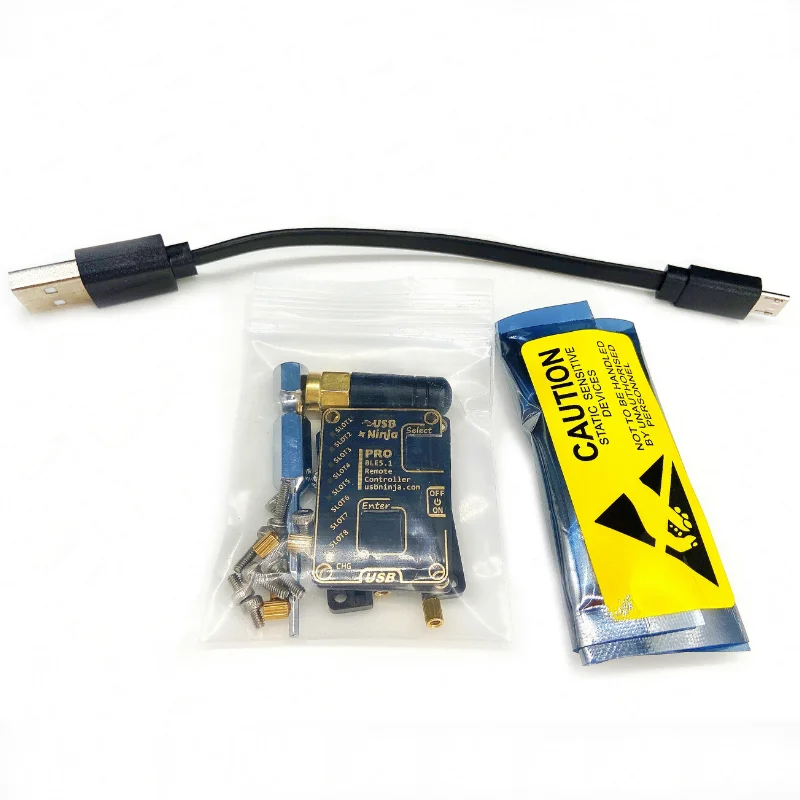
Description
Wireless trigger device for the USB Ninja. It can trigger 8 different payloads via toggle buttons.
Accepts RP-SMA antennas if you want greater distances for remote payload triggering.
GUI for windows must have remote to work with it.
30-40m (Remote) vs 7m (Phone)1. Configuration Settings Mode: Hold SELECT to boot and enter the configuration mode. When you connect to the computer, you can configure the default connection password and scan name with the PC.2. Bluetooth 5.0 remote mode: Connect to the data cable, press and hold the two buttons for 5 seconds, the data cable will be set to 5.0 remote mode.
Repeat the above operation, the data line back to the default mode of Bluetooth 4.0. Press A and press B to see if the current Bluetooth 4 or Bluetooth 5 mode.3. Force to stop PAYLOAD: Hold A and hold B after executing PAYLOAD. This will force PAYLOAD to stop
Remote Trigger Changelog
1.Configuration Settings Mode: Hold SELECT to boot and enter the configuration mode. When you connect to the computer, you can configure the default connection password and scan name with the PC.
2.Bluetooth 5.0 remote mode: Connect to the data cable, press and hold the two buttons for 5 seconds, the data cable will be set to 5.0 remote mode. Repeat the above operation, the data line back to the default mode of Bluetooth 4.0. Press A and press B to see if the current Bluetooth 4 or Bluetooth 5 mode.
3.Force to stop PAYLOAD: Hold A and hold B after executing PAYLOAD. This will force PAYLOAD to stop